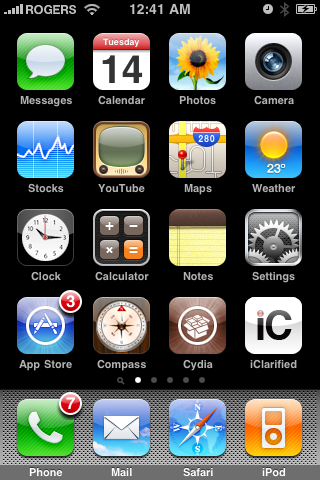
Press to launch Cydia Installer from your SpringBoard.
Step Two
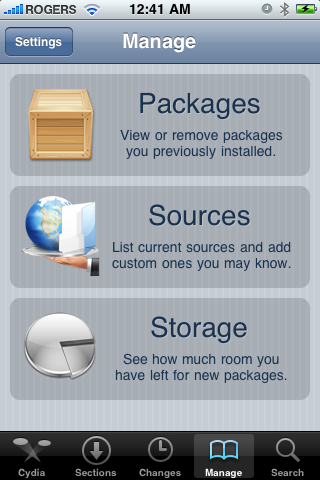
Press to select the Manage tab at the bottom of the screen

Step Three
Press to select the large Sources button
Step Four
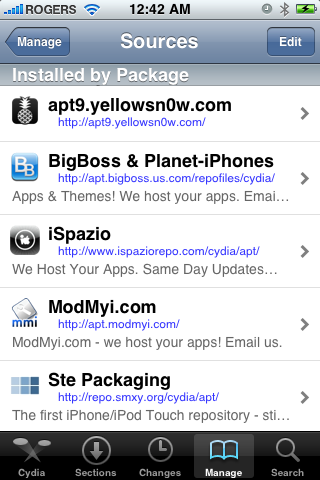
Press the Edit button at the top right of the screen
Step Five
Press the Add button at the top left of the screen.

Step Six
Enter http://apt.geohot.com/ as the source url and press the Add Source button

Step Seven
Once the source has been added press the large Return to Cydia button

Step Eight
Press the Done button at the top right of the screen

Step Nine
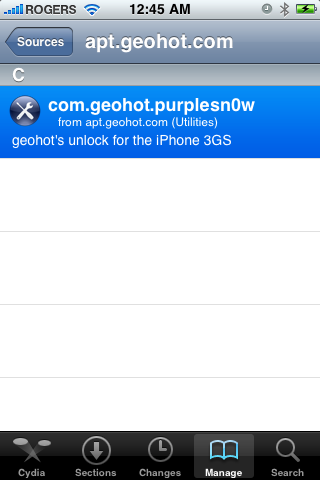
Press to select apt.geohot.com from the list of user entered sources.

Step Ten
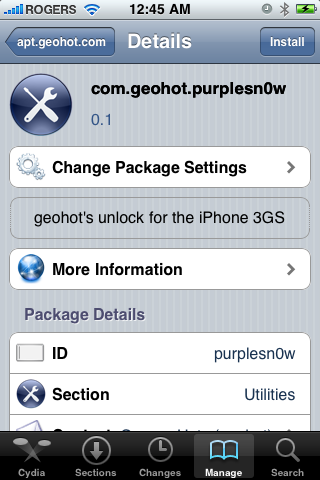
Press to select com.geohot.purplesn0w from the list of packages
Step Eleven
Press the Install button at the top right of the screen.
Step Twelve
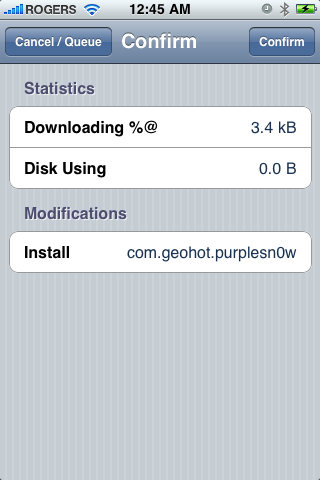
Press the Confirm button at the top right of the screen
Step Thirteen
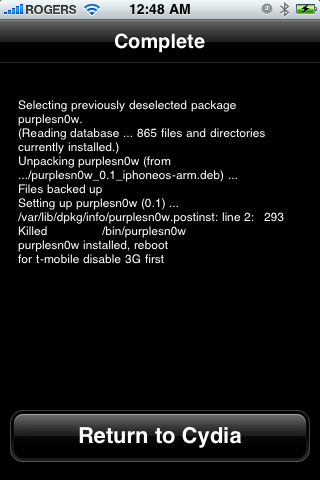
After installation completes successfully press the large Return to Cydia button.
Step Fourteen
Now press the Home button then power off and power on the iPhone. You do this by holding down the power button for 3 seconds then moving the power slider that appears to the right. Press the power button again to turn on the phone.